


See the problem.
Solve it from Zendesk.
Give support agents a way to see what customers see. SightCall brings live video assistance into Zendesk tickets, helping teams understand issues, guide customers through fixes, and move toward resolution with less back-and-forth.
What can SightCall do in Zendesk?
1. Start visual support from a ticket
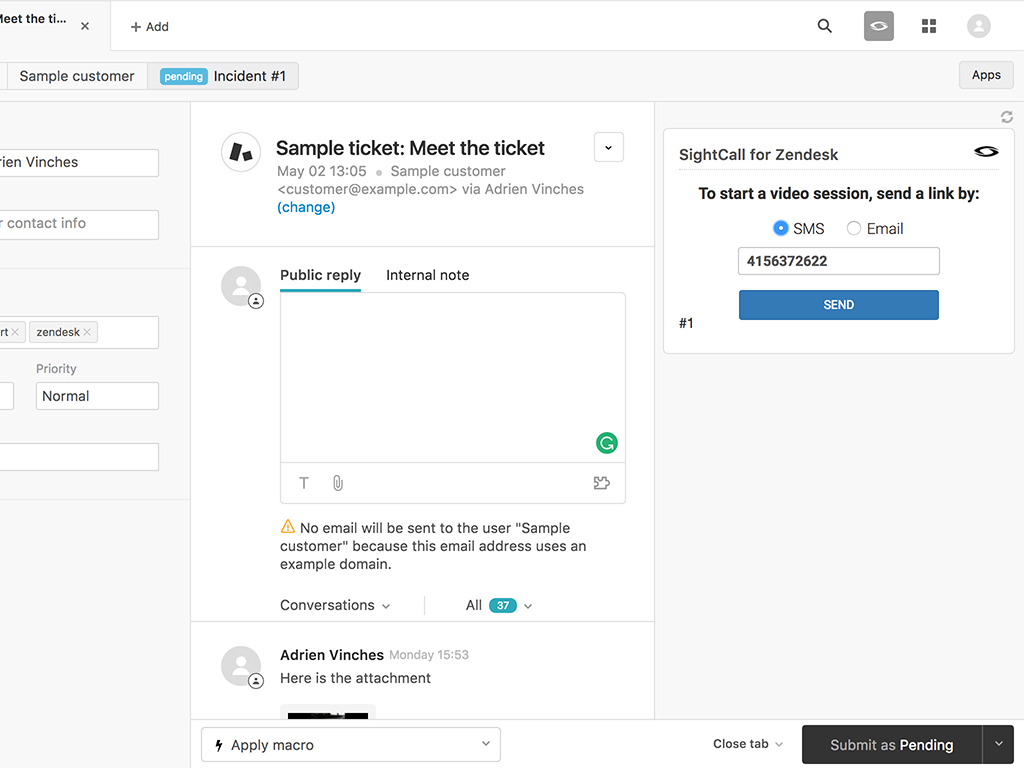
Let agents initiate a SightCall visual support session directly from the Zendesk ticket they are working on, instead of starting a separate troubleshooting workflow.
2. See what the customer sees
Use a live mobile video interaction to understand the issue in context, ask better questions, and reduce the ambiguity of phone-only or text-only support.
3. Guide the customer through a fix
Use SightCall visual support capabilities to help customers identify components and follow troubleshooting steps. The exact in-session tools depend on the configured SightCall use case and entitlement.
4. Extend Zendesk reporting with SightCall data
Enable optional webhooks during package registration so Zendesk can use SightCall data in reporting and dashboards.
How it works
From support ticket to shared understanding
1. Open the ticket. An agent reviews the customer issue in Zendesk.
2. Start SightCall. The agent launches visual support from the ticket using the configured Zendesk app.
3. Connect with the customer. The customer shares a live view of the issue from a supported device and connection method.
4. Troubleshoot and continue the ticket. The agent guides the customer and follows the organization’s Zendesk ticket-resolution process. Confirm which session details, if any, are written back automatically.
Key Benefits
Reduce the guesswork in customer support
Agents can see the product or problem directly instead of relying entirely on verbal descriptions and repeated clarification.
Keep visual assistance close to the ticket
Start the session in the Zendesk workflow agents already use, so the next troubleshooting step does not require switching to a separate support process.
Make complex issues easier to explain
A shared visual view helps agents show customers what to check or change and may reduce unnecessary returns or escalations when the issue can be resolved remotely.
Designed for Zendesk support workflows
The SightCall for Zendesk package is installed from the Zendesk marketplace after activation and configuration. The published setup sequence includes a SightCall tenant and administrator account, a Zendesk OAuth client, a SightCall API key, package registration, and installation of the Zendesk app.
During package registration, administrators may enable Use Webhooks for extended Zendesk reporting and dashboards. They may also select Automatic Connection to connect the SightCall widget automatically rather than manually. These settings can be edited later.